This is part 4 of a five-part guide to running Jellyfin on your own server and connecting it to a Telegram bot. Part 3 got a bot talking to a local Telegram API server instead of Telegram's shared one. This part is the script itself - the thing that actually turns a message into a file Jellyfin knows about.
Everything up to here has been setup. This is the part that does something: a script that watches for a message, gets Telegram's local server to hand it a path instead of a download, copies the file into Jellyfin's library, and pokes Jellyfin to notice. I'll build it up piece by piece, including the one bug that only shows up once, on the first file you actually send it for real.
Getting a Jellyfin API key
The script needs to tell Jellyfin "go rescan," which means it needs credentials of its own, separate from your admin login. In the Jellyfin dashboard: Dashboard → API Keys → + (top right).
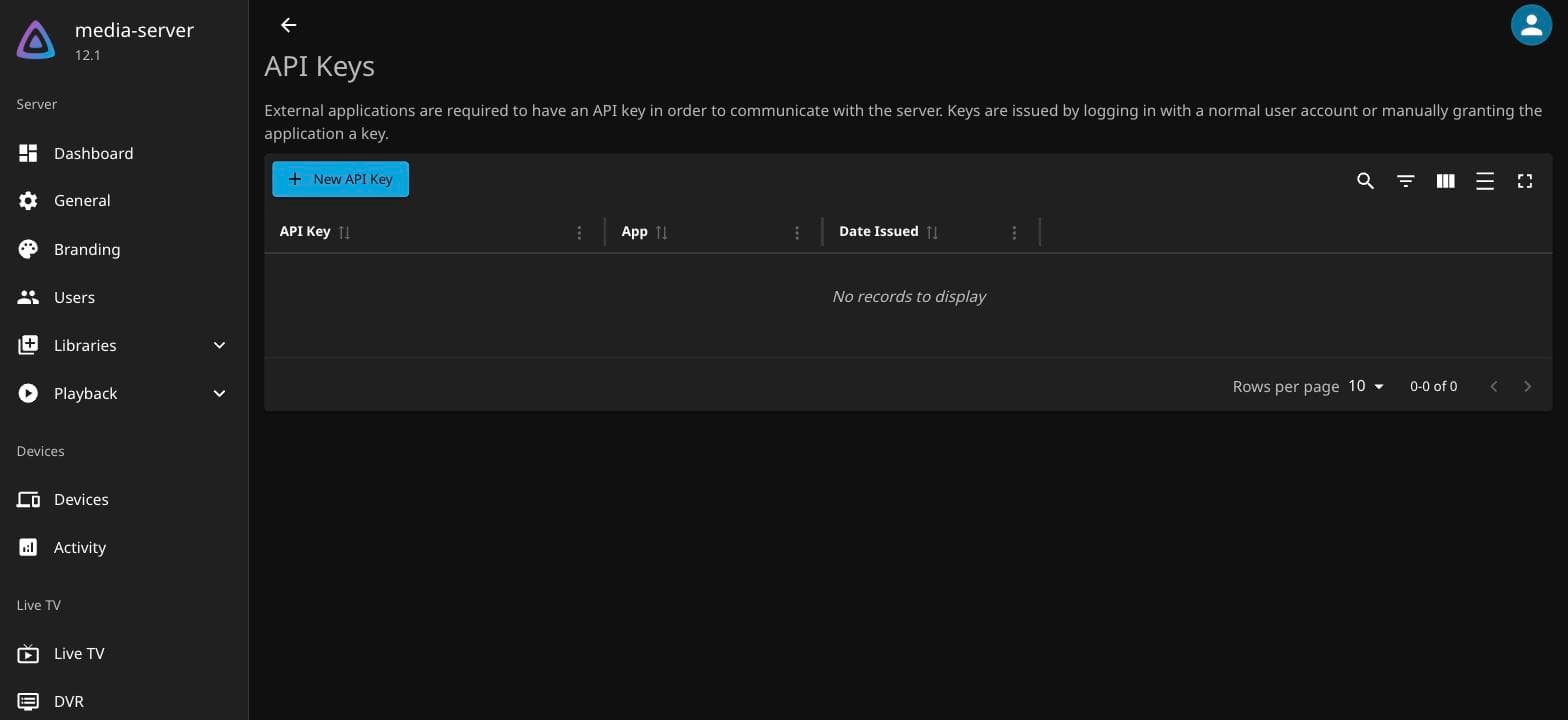
Give it a name you'll recognize later, like telegram-bot.
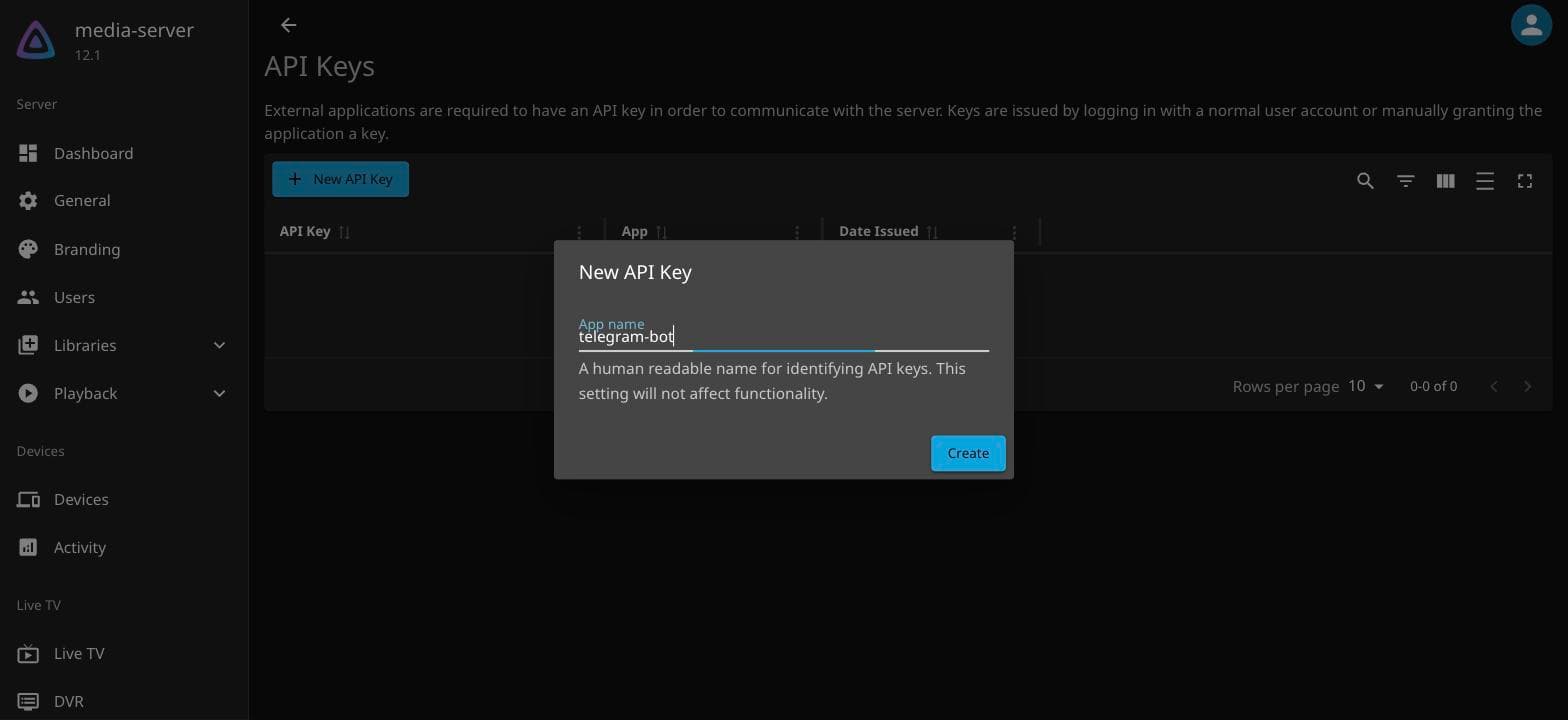
It generates a long hex string. Copy it now - this is the only time it's shown in full.
The environment file
Both the bot token from part 3 and this API key are secrets. They do not belong
in the Python file itself, for a reason more concrete than "best practice": a
script with a real token in it is one accidental git push away from that token
being public, and bot tokens and API keys don't expire on their own. Keep them
in a file the script reads at startup instead.
# /home/ubuntu/telegram-bot/.env
BOT_TOKEN=123456789:AAF-your-real-token-here
ALLOWED_USER_ID=your-numeric-telegram-id
JELLYFIN_API_KEY=your-jellyfin-api-key
SAVE_DIR=/home/ubuntu/files/ott
TG_DATA_DIR=/home/ubuntu/telegram-bot-api-data
chmod 600 /home/ubuntu/telegram-bot/.envchmod 600 restricts it to the owning user - nobody else logged into the box can
read it. Add .env to a .gitignore in that directory before you do anything
else with git, even if you don't plan on pushing it anywhere; it's a habit worth
having before the first time it matters rather than after.
The handler
import os
import re
import shutil
import subprocess

import requests
from dotenv import load_dotenv
from telegram.ext import Application, MessageHandler, filters

load_dotenv()

BOT_TOKEN = os.environ["BOT_TOKEN"]
ALLOWED_USER_ID = int(os.environ["ALLOWED_USER_ID"])
SAVE_DIR = os.environ["SAVE_DIR"]
TG_DATA_DIR = os.environ["TG_DATA_DIR"]
JELLYFIN_URL = "http://127.0.0.1:8096"
JELLYFIN_API_KEY = os.environ["JELLYFIN_API_KEY"]

os.makedirs(SAVE_DIR, exist_ok=True)


def refresh_jellyfin():
    try:
        requests.post(
            f"{JELLYFIN_URL}/Library/Refresh",
            headers={"X-Emby-Token": JELLYFIN_API_KEY},
            timeout=10,
        )
    except Exception as e:
        print(f"Jellyfin refresh failed: {e}")


async def save_file(update, context):
    if update.effective_user.id != ALLOWED_USER_ID:
        return

    msg = update.message
    if not msg or not msg.document:
        return

    filename = msg.document.file_name
    dest = os.path.join(SAVE_DIR, filename)
    print(f"Downloading: {filename}")

    try:
        tg_file = await msg.document.get_file(read_timeout=300)

        # Against the local server, tg_file.file_path is an absolute path
        # *inside the container*, something like
        # /var/lib/telegram-bot-api/123456789:AAF.../documents/file_1.mkv
        match = re.search(r"(/var/lib/telegram-bot-api/.+)", tg_file.file_path)
        if not match:
            raise RuntimeError(f"Unexpected file_path: {tg_file.file_path}")

        # The bind mount from part 3 means that same path, minus the
        # container's mount prefix, exists on the host too.
        host_path = match.group(1).replace("/var/lib/telegram-bot-api", TG_DATA_DIR)

        if not os.path.exists(host_path):
            raise FileNotFoundError(host_path)

        shutil.copy2(host_path, dest)
        refresh_jellyfin()
        await msg.reply_text(f"Saved {filename} and refreshed Jellyfin ✔")

    except Exception as e:
        print(f"Error: {e}")
        await msg.reply_text("Upload failed ❌")


def main():
    app = (
        Application.builder()
        .token(BOT_TOKEN)
        .base_url("http://127.0.0.1:8081/bot")
        .base_file_url("http://127.0.0.1:8081/file/bot")
        .build()
    )
    app.add_handler(MessageHandler(filters.Document.ALL, save_file))
    app.run_polling()


if __name__ == "__main__":
    main()
Walking the parts that aren't obvious:
The regex, not a plain download. Against a local server, get_file()
doesn't fetch anything over HTTP - it just asks the server where the file
already is, and gets back a path on disk. tg_file.file_path is that path,
inside the Docker container's own filesystem. The regex pulls out everything
from /var/lib/telegram-bot-api/ onward, and the .replace() on the next line
maps it onto the host path from the bind mount in part 3. No network transfer
happens here at all - shutil.copy2 is a local filesystem copy, which is why
this handles a 1.5 GB file about as fast as a 15 MB one.
Why not download_to_drive(). It still works against a local server, but it
re-fetches the file through the HTTP layer even though a perfectly good copy is
sitting on disk two directories over. Reading the path directly, as above, skips
a redundant copy of however large the file is.
The permissions bug that only shows up once
The first real file I sent through this failed with a permissions error on the
shutil.copy2 line, and it took longer than it should have to work out why.
The Docker container runs the Telegram server as its own internal user, which
writes files into the bind-mounted folder owned by that user's UID - not
ubuntu, the user your Python script runs as. shutil.copy2 needs read access
to the source file, and by default it doesn't have it.
Two ways to fix it. Either works; pick one and move on.
Loosen the source permissions before copying - simple, and fine for a folder that only ever holds files in transit for a few seconds:
subprocess.run(["sudo", "chmod", "644", host_path], check=True)This needs your bot's process to have passwordless sudo for exactly this
command, via a line in visudo scoped to that one binary and argument pattern -
not blanket sudo access.
Or run the container as your own user, which avoids the mismatch entirely
and needs no sudo at all:
sudo docker run -d \
  --user "$(id -u ubuntu):$(id -g ubuntu)" \
  ... \
  aiogram/telegram-bot-api:latest
I'd reach for the second one starting fresh - it's fewer moving parts and no
sudo in application code at all. The first is what I actually shipped, because
I found the bug after the container was already running with default
permissions, and re-running the container to fix a chmod felt like more
disruption than it was worth at the time. Both are in production somewhere; I'm
telling you which one I'd pick today.
Testing it
pip install python-telegram-bot python-dotenv requests
python3 bot.py
Send the bot a file from Telegram. Watch the terminal - save_file should run,
the copy should land in SAVE_DIR, and you should get the confirmation reply
within a few seconds even for a large file, because the "download" is just a
local copy. Check Jellyfin: the file should appear in the library within
moments of the refresh call, no manual rescan needed.
What people get wrong
- Testing with a tiny file only. A 2 MB test file works through paths a 500 MB one won't - it's small enough that even a slow fallback path finishes before you'd notice something was wrong. Test with something closer to what you'll actually send.
- Giving the bot's
sudorule more than one command. If you go thechmodroute, scope the sudoers entry to that exact command and argument pattern. Passwordlesssudofor anything broader turns "someone gets your bot token" into "someone gets root." - Forgetting
ALLOWED_USER_ID. Without it, this is a public file upload endpoint to your server for anyone who finds the bot's username. It's oneifstatement. Don't skip it. - Not handling the case where Jellyfin is down.
refresh_jellyfin()above catches its own exception on purpose - a Jellyfin restart shouldn't take the whole bot down with it. The file still gets saved; the next scheduled or manual scan picks it up.
Next in the series
Right now, this only runs for as long as your SSH session stays open. Part 5 turns the bot and the local Telegram server into real background services that survive a reboot, restart on their own if they crash, and log somewhere you can actually check.